• A leader in the test & measurement space
  • Audio Analyzers & Testing by Audio Precision
  • GRAS Sound and Vibration
  • imc Test & Measurement GmbH - productive testing
imc Test & Measurement GmbH
GRAS
  • Tuotteet
    Mittauslaitteet
    • imc ARGUS<em>fit</em>
    • imc CRONOS<i>flex</i>
    • imc CRONOS<em>compact</em>
    • imc CRONOS-XT
    • imc CRONOS-SL
    • imc C-SERIES
    • imc SPARTAN
    • imc EOS
    • imc BUSDAQ
    • imc CANSAS
    Anturiratkaisut
    • 6-komponentti rengasvoima-anturi
    Telemetria
    • Dx
    • T1
  • Mittausohjelmat
    imc FAMOS - data analysis framework
    imc STUDIO - Mittausohjelmisto
    imc WAVE - NVH analysis
    • imc WAVE vibration
    imc LINK - Mittaustiedon siirto
  • Sovellukset
    Teollisuus
    • Ilmailu- ja avaruustekniikka
    • Energia ja sähköverkot
    • Koneet ja laitokset
    Yleiset ratkaisut
    • Kestävyysmittaus
    • Fieldbus Integration
  • Latauskeskus
    Messut & Näyttelyt
    Tuotelataukset
    • Mittauslaitteet
    • Mittausohjelmat
    • Anturiratkaisut
    Uutiset & Tapahtumat
    • Uutiset
    Tiedotteet
  • Palvelut & Koulutus
    Asiakaspalvelu
    Huolto
    • Laitteen lähettäminen huoltoon
    Yritys
    • Keitä olemme?
    • Laadunvarmistus
  • Contact
    • imc Worldwide
    • +44 7985564945
  • English
  • Deutsch (de)
  • Chinese (Simplified)
  • South Korean
  • French
  • Hungarian
  • Chinese (Traditional)
  • Finnish
  • Spanish

Axiometrix Solutions Family

  • Axiometrix Solutions
  • Audio Precision
  • GRAS Sound & Vibration
  • imc Test & Measurement
  • English
  • Deutsch (de)
  • Chinese (Simplified)
  • South Korean
  • French
  • Hungarian
  • Chinese (Traditional)
  • Finnish
  • Spanish
LOG IN | SIGN UP
  1. imc-tm.fi
  2. Mittausohjelmat
  3. imc STUDIO - Mittausohjelmisto
  4. imc STUDIO Setup

imc STUDIO Setup

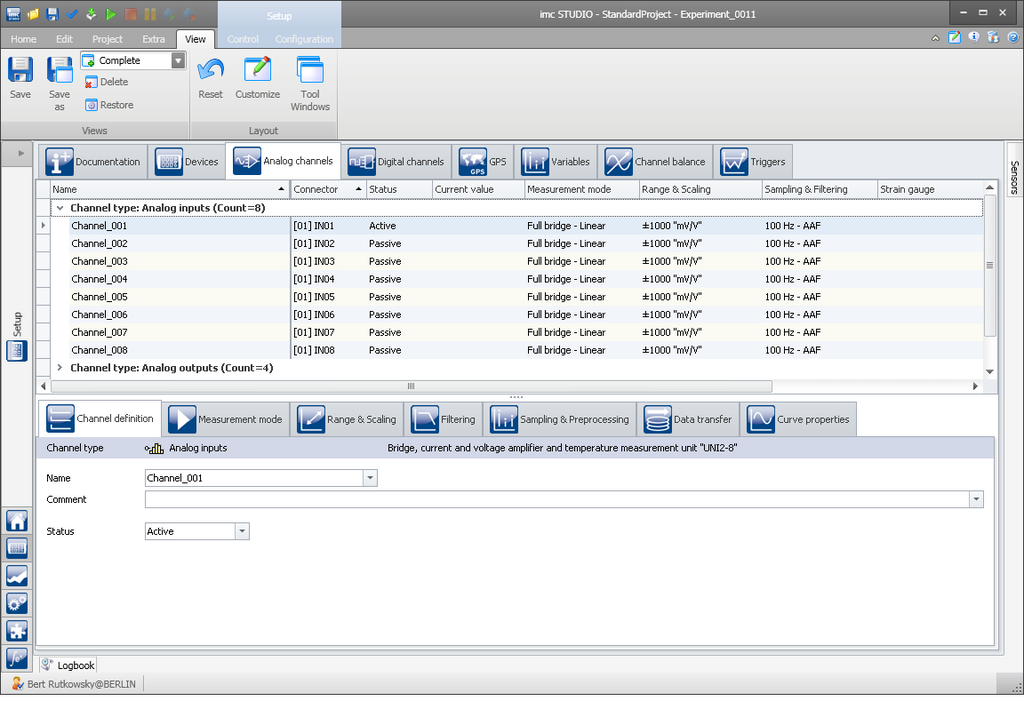
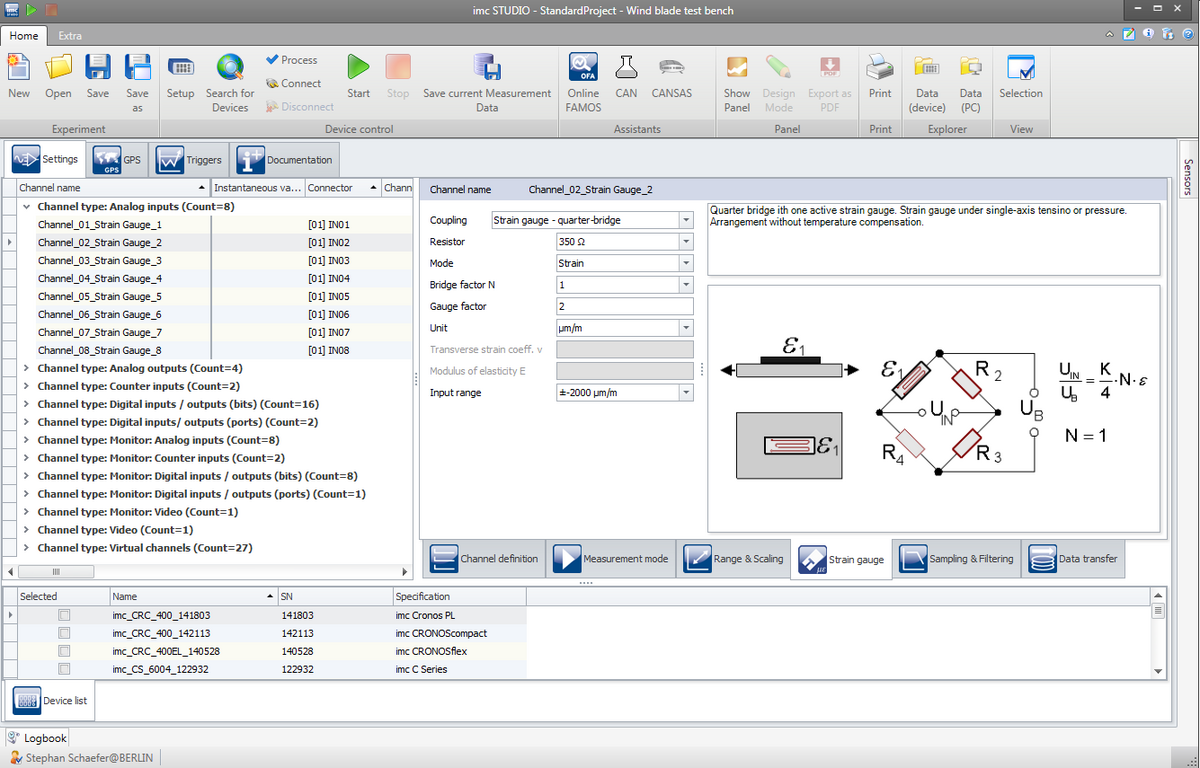
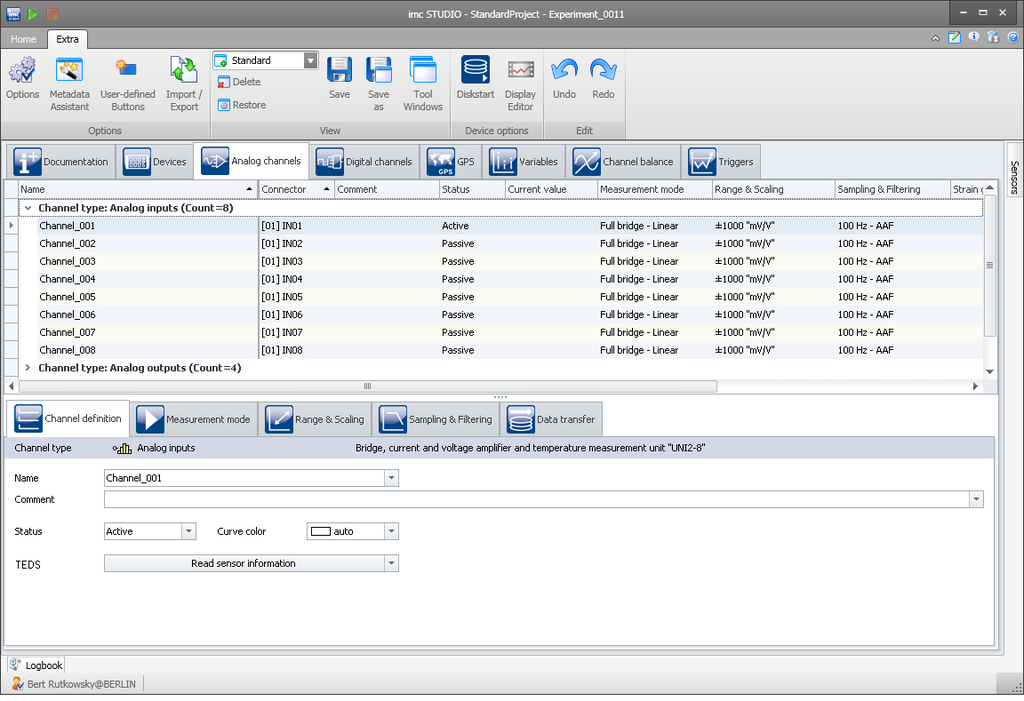
imc STUDIO Setup: configuration of analog channels

Manage and Configure you DAQ hardware

  • Customizable spreadsheet representation for clarity and simplicity
  • Multi-selections, as well as copy & paste of channel configurations
  • Search and filter functions
  • Step by step through system setup with the configuration wizard
  • Simple channel configuration with drag & drop access to the imc SENSORS data base
  • TEDS compatible
  • Handling large numbers of channels with powerful automatic naming schemes
  • Fieldbus assistant for bus protocols such as CAN, LIN, ARINC, FlexRay, etc.
  • imc Online FAMOS — integrated easy to use assistant for defining optional real-time calculations

Tailored configuration views

The tabular approach for channel configuration has an intuitive grasp: each row represents a channel, each column a settings option, and the cell, finally, represents the concrete value. You can choose which settings options (columns) you want to see, as well as arrange or hide table columns as desired.

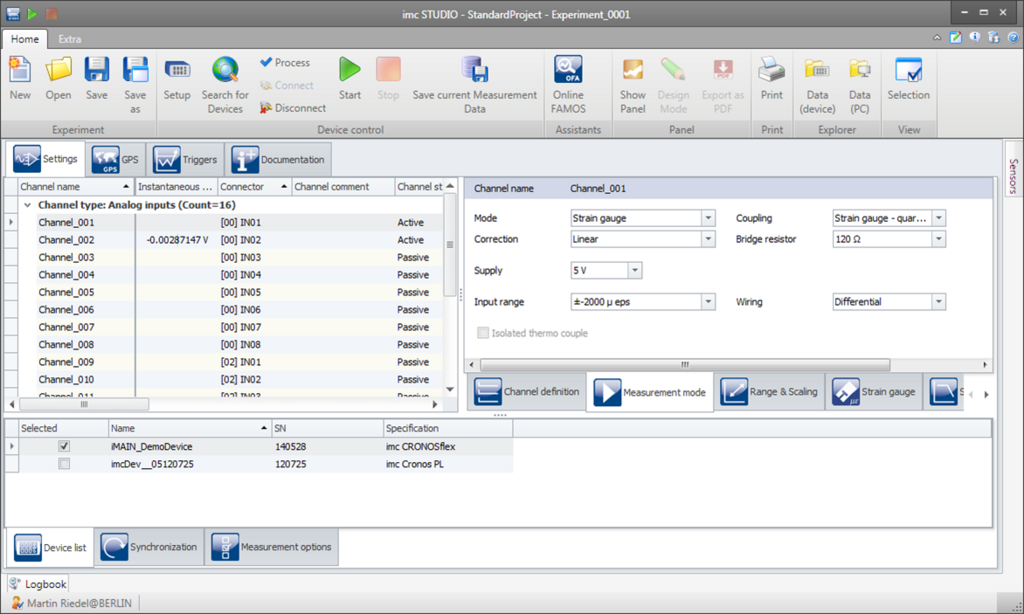
Three view options are available to meet different user requirements. The scope of functionality corresponds with the user’s role or qualifications, whether for an experienced specialist, a setup technician or a test station operator.
imc STUDIO View compact
View: compact
imc STUDIO View standard
View: standard
imc STUDIO View complete
View: complete

Default values for safe operation

Settings parameters which are to remain hidden because they don’t require editing naturally need well-defined default values. One very easy to operate but extremely flexible and powerful function makes this possible: The settings of one particular, selected channel, including settings which are to remain hidden, can be defined as defaults for either all or a special class of channels, for instance all channels of the same type.
In this way, one maintains control even over the hidden properties of the channels or the system, which always remain accessible in the background and can be retrieved into the focus at any time.


Sorting and filtering channels
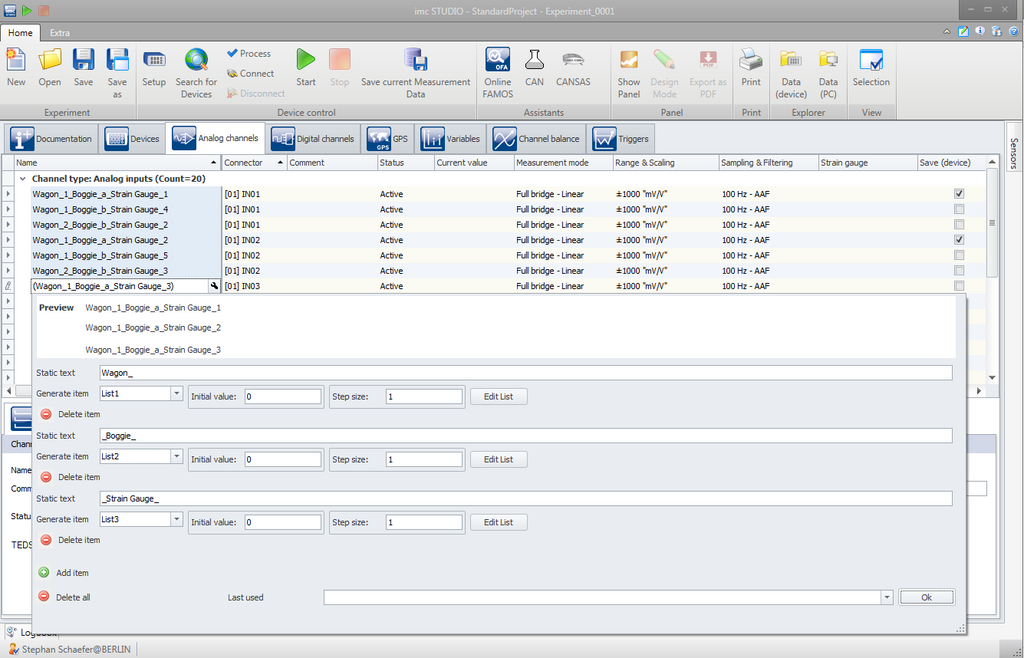
Result after automatic naming

For multi-channel measurements, the integrated sorting and filtering functions help to keep track of all information. Some filters allow to show/hide certain channel rows according to freely definable criteria. As a result, the required channel list is available with one mouse click.

Filtering can be performed in either one of two ways:

  1. For each column, a simple Auto-filter can be set, which defines a logic-based filter function, for instance, only displaying channels which were configured in the column "Measurement mode" as bridge channels.
  2. By means of the universal Filter-Editor, it is possible to define a whole set of filters in an interactive manner. These complex logical expressions can be applied to combinations of multiple parameters (columns), and thus enable very finely delineated selections to be made. Once formulated, such a filter can be activated as desired by setting a “check-mark”.

This technique allows maintaining of both a good overview and control over elaborate systems involving hundreds of channels.

Free demo version

Related Links

  • Overview: imc STUDIO
  • What's new in imc STUDIO
  • Benefits imc STUDIO
  • Editions imc STUDIO

Esite

imc STUDIO (PDF)


  • imc STUDIO Setup
  • imc STUDIO Panel
  • imc STUDIO Sequencer
  • imc STUDIO Automation
Data Acquisition Systems Measurement Software Sensor Solutions Telemetry Test Stands
FAMOS imc STUDIO imc WAVE imc LINK
FAMOS FAMOS 2026 + AI FAMOS Resources Prices & Editions Try FAMOS
Industries General Applications Automotive Applications
Knowledge Center imc Academy App Notes Whitepapers Tradeshows & Events Webinars Measurement Software News Press Export Declaration
Customer Service System Service Contact Sales General Contact Become a Partner Locations
About imc About Axiometrix Solutions Company Profile CAEMAX KMT Careers Quality Assurance Terms & Conditions Facts
Axiometrix Solutions Logo negativ
imc Test & Measurement GmbH is a German manufacturer of data acquisition systems, measurement software, telemetry solutions, and test bench automation. Headquartered in Berlin, imc helps engineers acquire, analyze, and manage measurement data for research, development, and production testing. As part of Axiometrix Solutions, imc supports customers in the automotive, rail, aerospace, energy, and mechanical engineering industries through a worldwide network spanning Europe, the United States, and Asia.

© imc Test & Measurement GmbH. All rights reserved.

Legal Notice Privacy Policy REPORT AN INCIDENT
Follow Us:
↑
Loading